Vocabulary dictionary

Kanji dictionary

Grammar dictionary

Sentence lookup

test
 

Forums - Terms reset to level 1

Top > renshuu.org > Bugs / Problems


avatar
TheRudeDarude
Level: 767

So a couple of days ago i noticed that i had suddenly a lot more terms to review than usual. When i looked into this, it seemed like a lot of my terms had been reset to level 1. From what i can see it only affected terms that are usally written in hiragana but can be written with kanji:

25661063eeb6dc772f063f2a.png

I did not change any settings before this happened, it just occured overnight.

I suspect it that this maybe is a problem with the study vectors. Maybe i was quizzed using the Kanji -> meaning and Meaning -> Kanji vectors before and now for some reason it uses the Kana -> meaning and Meaning -> Kana vectors?

FYI: My schedules are using the Japanese -> Meaning and Meaning -> Japanese study vectors. I tried changing these vectors and some other settings in order to fix this, but nothing worked.


0
6 days ago
avatar

Does changing any of these settings do anything?

e09f7a90c1226226b866b5b9.png


Global settings:

d36ac7d02192a10627629122.png

In my case, if I switch to any of the other two I get thousands of reviews of level 1 kana vectors.

Can't think of anything else right now.


PS: This is just for testing purposes, I'm not suggesting you use these settings.


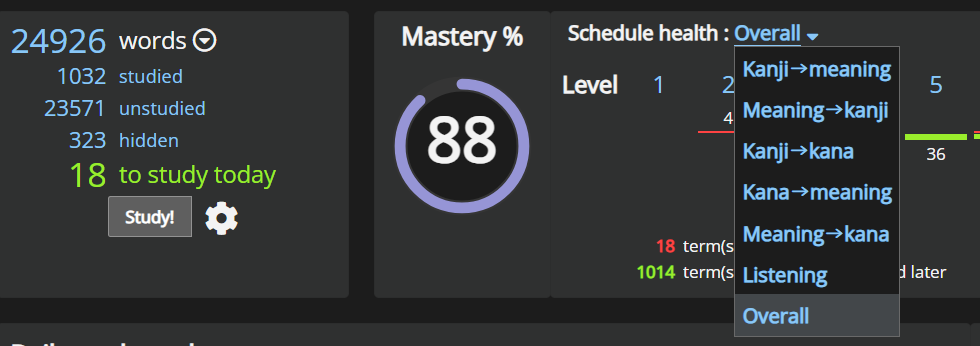
Edit: You can also look at the levels for individual vectors from your schedule, not just Overall:

a54dd35b15e29fbd2e2ded88.png


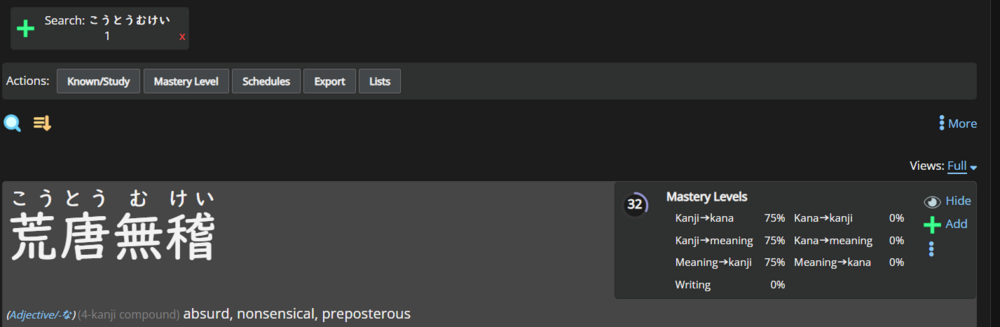
And you can get a full Mastery breakdown from Advanced Search:

b1737274347d06da27e74472.png

Just a few more data points that could be useful.

1
6 days ago
avatar
TheRudeDarude
Level: 767

Thanks for the post ギョルギ :)

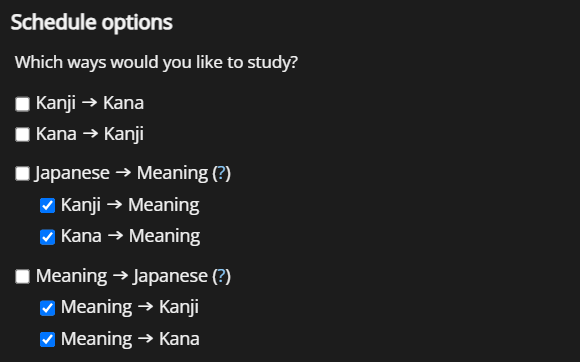
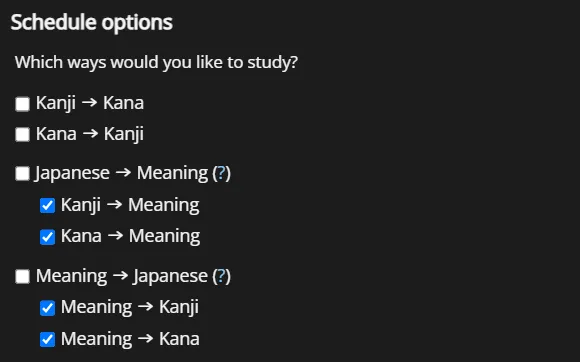
So i tried changing the schedule settings to this:

d85be5b88d63012ae7e5796c.png


That made the schedule now want to also quiz kana -> meaning and meaning -> kana for all kanji words. As that didnt help i reverted the settings again.

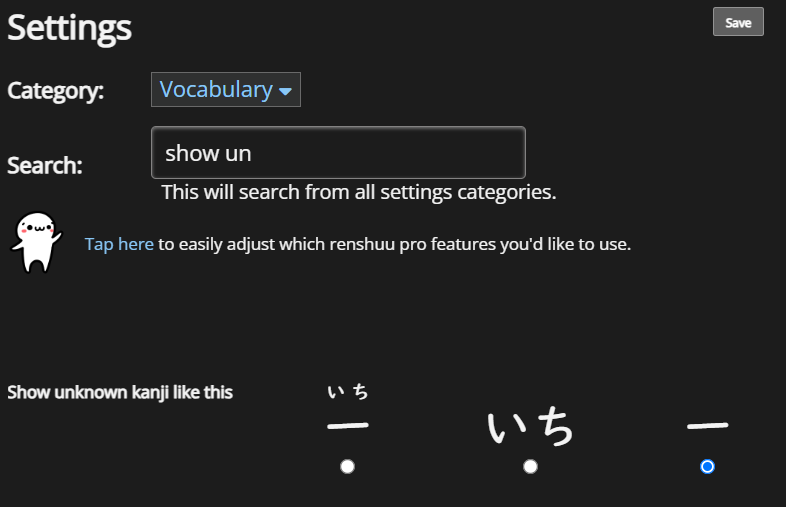
However changing this setting did change something:

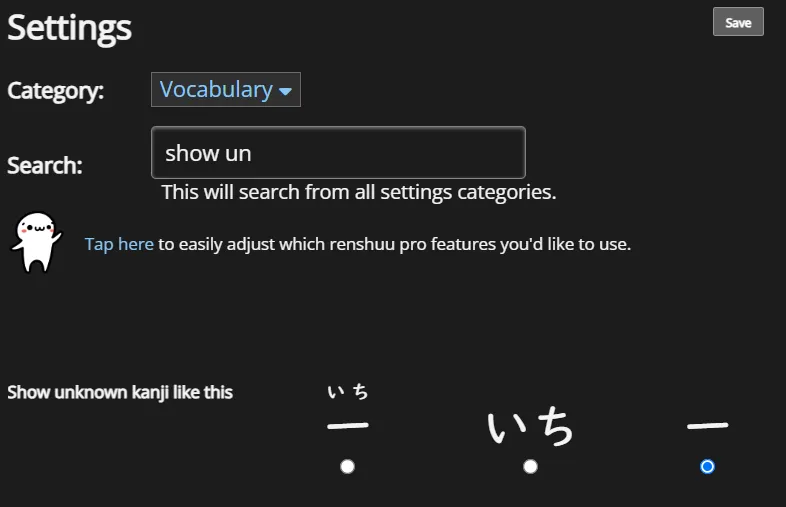
8ced3b8db127fb5821029646.png

I changed it form the first option(kanji with furigana) to the last (just kanji) and then back to the first option. Now it seems like i the problem is the other way around.

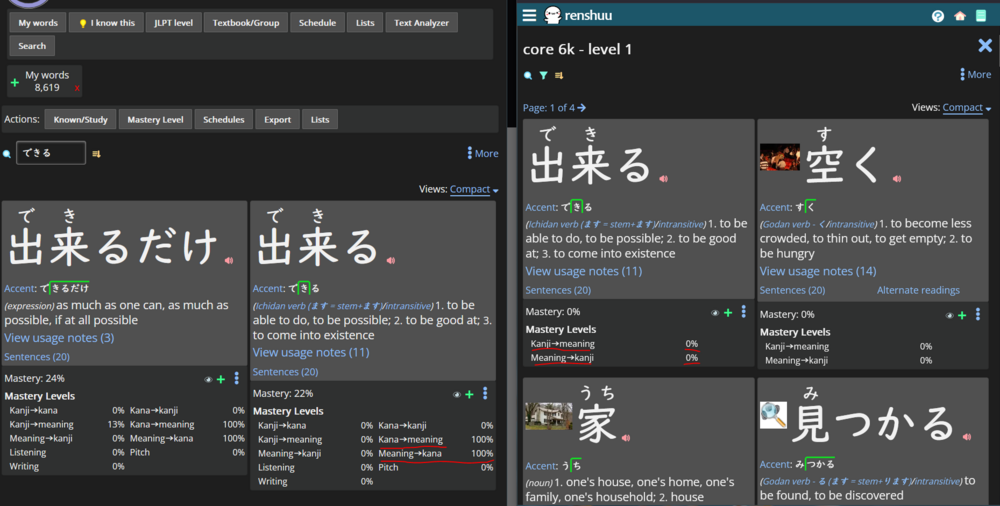
Now it tries to quiz me using the kanji -> meaning and meaning -> kanji vectors for words that had been studied with the kana -> meaning and meaning -> kana vectors:

ee5297c32bf2b61f4970da76.png

For the word できる(る) i have the kana -> meaning and meaning -> kana vectors at a 100%, but now it tries to quiz the kanji -> meaning and meaning -> kanji which are at 0% because these vectors have never been quizzed before.

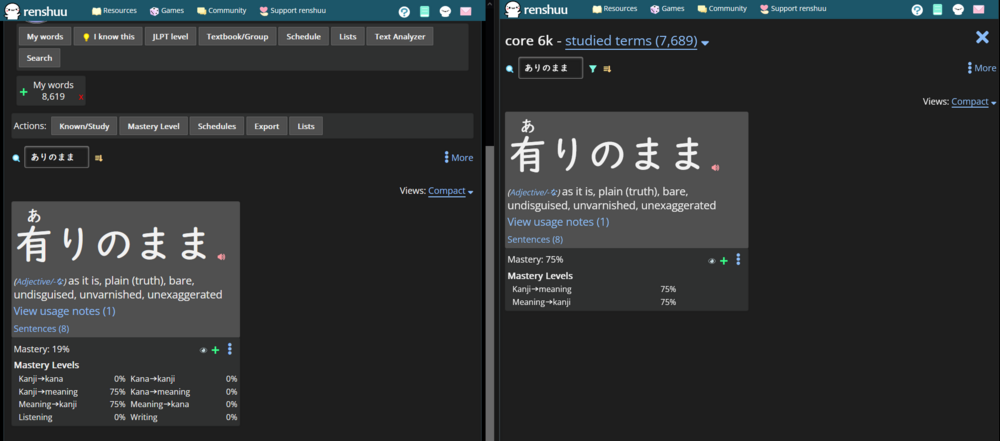
The words/terms that were originally affected( see my first screenshot in this thread) like ありのまま (りのまま) are now being quizzed using the kanji -> meaning and meaning -> kanji vectors again and are therefore at their expected level/mastery again: 

f0163a3e5bbc8173295187e5.png

So it looks like for some of these "usually written in hiragana, but can be written in kanji" words/terms like ありのまま (りのまま) i had been quizzed in the past using the kanji vectors
and
for other words/terms like できる(る) i had been quizzed in the past using the kana vectors.

Im not really sure what the intended behaviour is supposed to be here.


I hope this post is not too confusing, as english is not my first language. Always happy to clarify :)

1
6 days ago
avatar

Let me just explain a few more things real quick:

When you have Japanese → Meaning ticked, it should pick either the Kana or Kanji → Meaning vector. I think it's based on what kanji you "know" (the yellow light-bulb), and for words that have "rare" kanji, whether or not you have "Study rare kanji" ticked on them (the terms themselves).

1d2f193d4cba1398991a8448.png

When you uncheck it you control those vectors separately, so the behaviour you're describing seems normal.


A bit about this global setting:
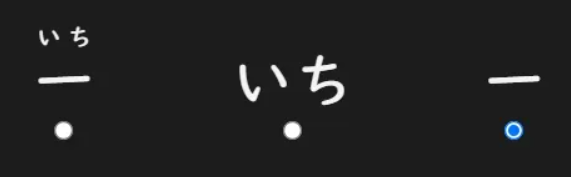
1d73e7273a4a9b87ca55498c.png

When it's on kanji (rightmost) it should ignore your "known" kanji and always give you the Kanji → Meaning vector (except for words usually written in kana, for those you need to tick "Study rare kanji"). When it's on any of the other two, it should just behave according to what kanji you "know".

It used to give me a bunch of Kana → Meaning reviews (thousands) when I changed it, but I tried it just now and it doesn't seem to do it anymore.


Looks like the only way for me to force Kana → Meaning is to change my schedule settings to either only the Kana → Meaning vector, or both vectors:
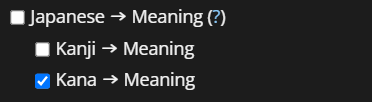
dd72334992d612d8e11cfcc0.png

( this probably isn't important in your case )


Something must have "deactivated" the Kanji → Meaning vector for those terms, and now you only have the Kana → Meaning vector, which you haven't studied at all?

What's interesting is that you had studied the rare kanji for terms like ありのまま, which I don't think should be possible unless you have "Study rare kanji" on those terms.
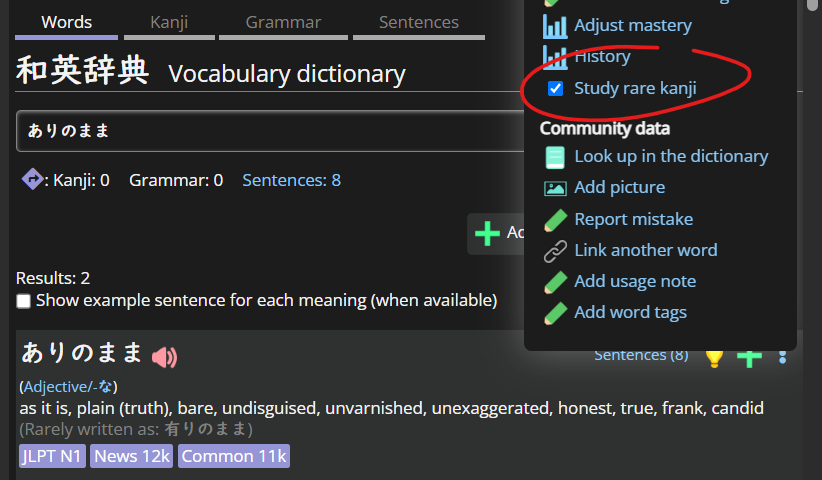
863365a4d1a4c08638716b2a.png

( If I don't have it ticked, it always gives me the Kana → Meaning vector, even though I know the kanji and have my settings set up to ensure I always study Kanji → Meaning )


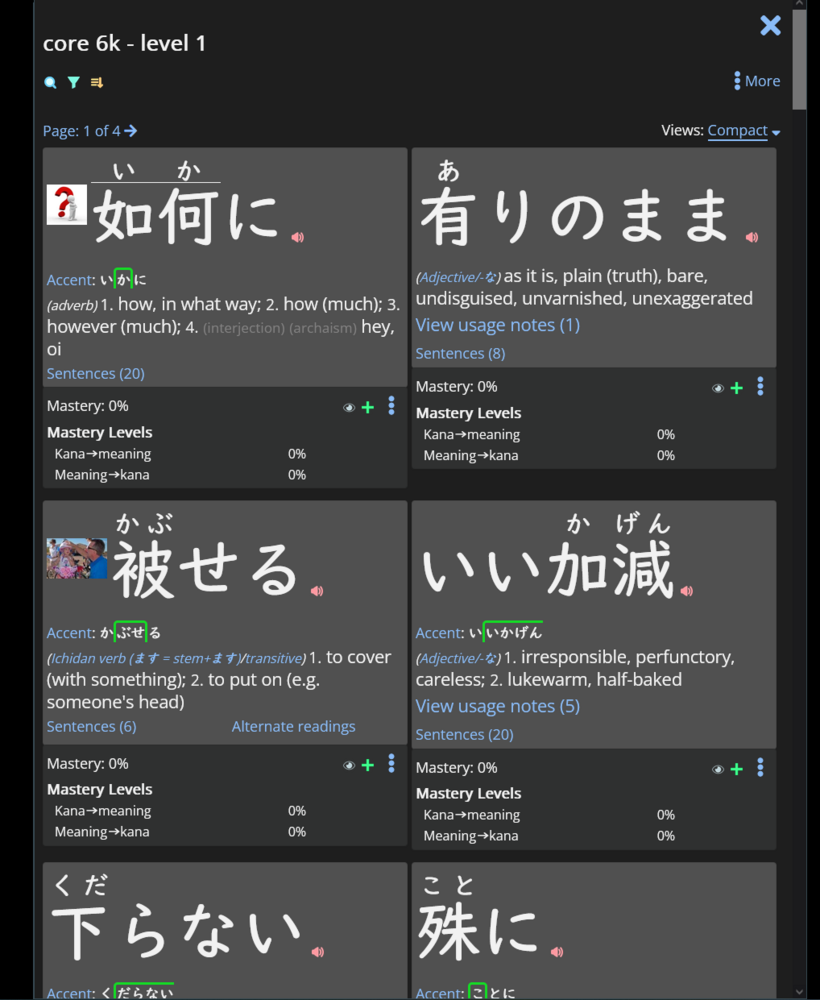
Same thing for something like いいかげん. As far as I know, you should have been studying Kana → Meaning for those. Maybe it was bugged and it got fixed just now?

You can try changing your settings back to what they were, and ticking "Study rare kanji" on those terms? Maybe just a few to see if that fixes it (in the sense that it changes it back to what you're used to)?

1
6 days ago
avatar
マイコー
Level: 343

Based on the screenshot, it looks like all of those terms are ones that are currently written in kana only, so I suspect the last sentence in the previous post is correct - did you change the "study rare kanji" setting under the main settings panel?

1
4 days ago
avatar
TheRudeDarude
Level: 767

"You can try changing your settings back to what they were, and ticking "Study rare kanji" on those terms? Maybe just a few to see if that fixes it (in the sense that it changes it back to what you're used to)?"

That fixed it! I changed the "Show kanji for words commonly written in hiragana" setting from "All words with rarely-used kanji" to "Only words I toggle in that word's settings" and then manually checked the "Study rare kanji" settings for all those terms that were at level 1 again. Now everything looks right again.

Thanks for the help :)

1
3 days ago
Getting the posts


Top > renshuu.org > Bugs / Problems


Loading the list
Lv.

Sorry, there was an error on renshuu! If it's OK, please describe what you were doing. This will help us fix the issue.

Characters to show:


Use your mouse or finger to write characters in the box.
■ Katakana ■ Hiragana