this redirected me to a question corner and I do not recall typing this or participating in the question corner with that question and I am concerned someone hacked my renshuu account and typed this under my name since I wouldn't type anything like this.
I think "Lおl" is actually what the other person typed, not the question or anything you've posted. My best guess is that they deleted it and now the link doesn't point to the correct location in the QC.
That's the current (default) QC question, so a broken link due to the other person deleting their post seems like the most likely explanation to me.
I'll try commenting on one of your QC answers and deleting it immediately. If you get a similar message, then I'm likely correct.
PS: I'm pretty sure you weren't hacked, so don't worry about that :)
Edit: It could also be another user commenting on someone else's answer where you have also left a comment. Anyway, I've had this exact thing happen where the [] part in "New comment on: []" was the other person's comment. It was a bit confusing, but I was able to find the question.
This happened again but with the question displaying as て s t
どうやって漢字を勉強しますか?
I am losing it since I have actually typed in this one and a few others in the last month. To stop this, how do I disable question corner comments from inbox as a temporary stop to this?
My bad, I should have made a second account to test it on myself. Sorry for confusing you.
Edit: Hmm, I guess it does link to the actual QC question when it's a direct comment. And you're sure you haven't replied to anyone in the もっとうまくなりたいことは何ですか? QC thread?
At least we now know for sure that "Lおl" was the comment another person left under either one of your QC answers or an answer where you've also left a comment, and then their comment got deleted. Possibly because it got reported for spam.
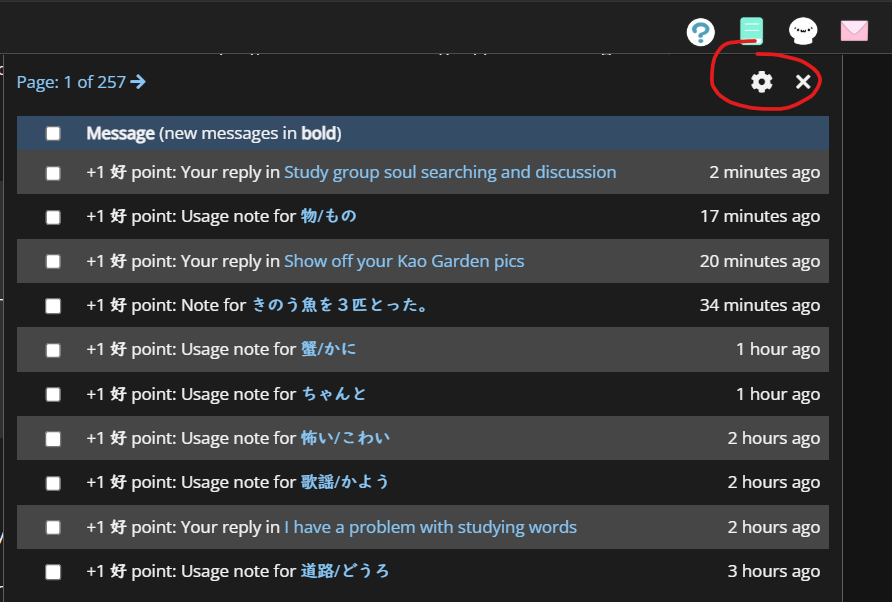
Edit: Either way, you can turn off specific notification from here:
It was probably one of these:
"Comment on your 'Games' answers Reply to your 'Games' comment"
I'm making a small change (should go up later today) so that those alerts will contain the text of the original sentence (so, whatever you put in), and not the comment. It probably was intended to be that originally, but perhaps some wires got crossed at some point.