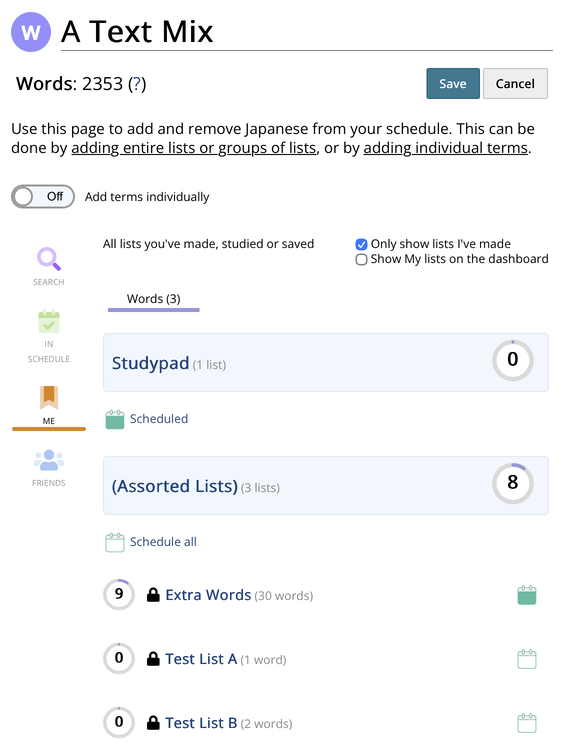
The Add/remove materials page on a (word) schedule does not seem save Studypad scheduling state correctly for me. Having added the Studypad to a schedule via the Community Lists' calendar icon "Add to Schedule" popup, I cannot remove it via the "Add/remove materials" page:
Tapping "Scheduled" changes it to "Schedule all", but it doesn't persist after tapping "Save" and returning to this page again.
Additionally, if I try to add the Studypad to a different schedule using the "Add/remove materials" page for the schedule, "Schedule all" changes to Scheduled, but does not get saved either.